Simplified bulk inbound import for Partner-to-Partner transfers
Moderate Upgrade
This feature is currently being released to sandbox marketplaces. Expected production announcement: release 760 on November 25, 2026. Dates may change based on validation results.
On a completed or partial Partner-to-Partner (P2P) transfer, users can import eligible subscriptions into the marketplace in one action.
The platform applies the default product profile and subscription owner for each selected subscription. Subscriptions that cannot be matched automatically stay on the existing manual import flow, with the reason shown.
Previously, each transferred subscription had to be imported one at a time, with a product profile, owner, and billing timing chosen for every line.
Key highlights
| Highlight | Description |
|---|---|
| Bulk import from the transfer | On a transfer in Complete or Partially Complete status, select one, many, or all eligible subscriptions and choose Import selected. You do not choose a product profile or owner for each line. |
| Automatic defaults | Imports only when the offer matches exactly one product profile and a company administrator is available as owner (oldest if more than one). Billing starts from today. |
| Clear exclusions | Subscriptions that are not imported show why (for example, more than one product match, no company administrator, or another import ineligibility). Import those lines manually as before. |
| Per-subscription results | Import progress and outcome appear per subscription in the transfer view. The same capability is available through the P2P API for headless integrations. |
UI updates
These changes appear on a completed transfer in the P2P Subscription Transfers hub at Manage > Marketplace | Admin Tasks > Microsoft > P2P Subscription Transfers.
-
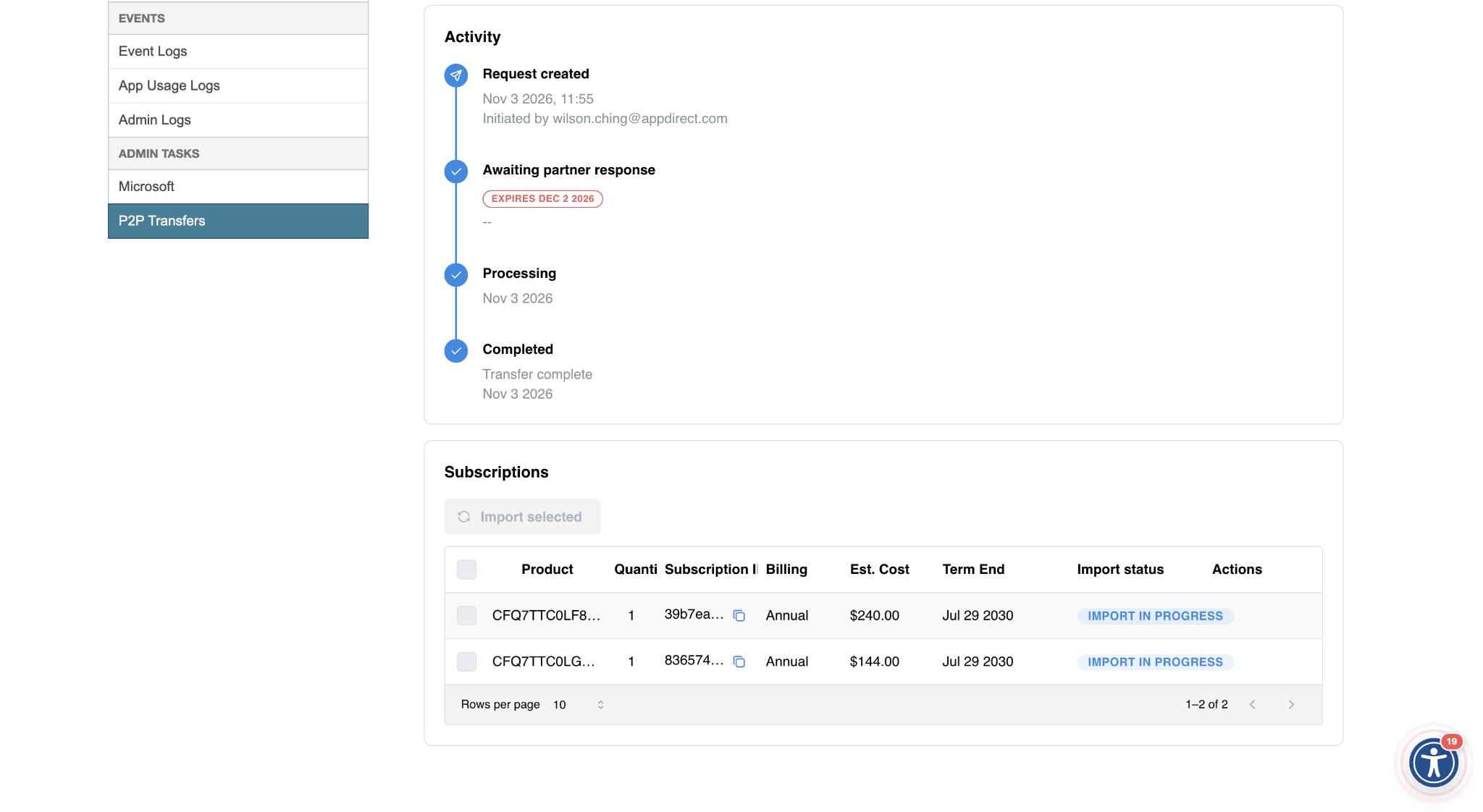
Select eligible subscriptions with the checkboxes, then choose Import selected. Confirm the import when prompted.
-
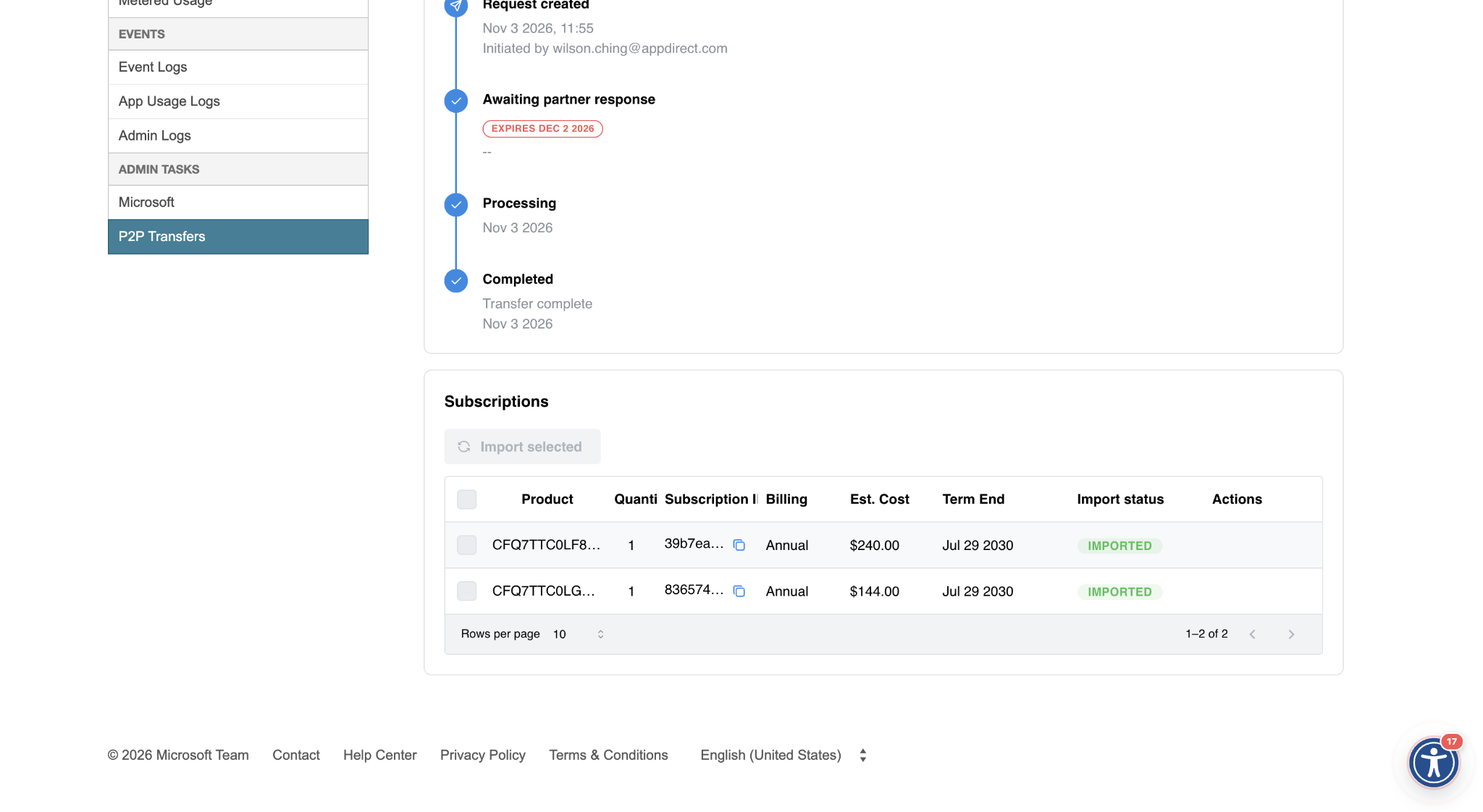
Track progress under Import status. Completed lines show as Imported. Ineligible lines show a status; hover for the detailed reason.
Limitations
- Bulk import is available only on transfers in Complete or Partially Complete status.
- Microsoft's limit of 25 license-based line items per billing plan per transfer still applies.
Prerequisites
Partner-to-Partner transfer for Microsoft CSP subscriptions must be enabled on the marketplace.
Feature enablement
This feature is enabled by default.
Setting enablement
No setting enablement is required.
Documentation
Documentation will be updated with the release.
Was this page helpful?
Tell us more…
Help us improve our content. Responses are anonymous.
Thanks
We appreciate your feedback!